How to Check the Remaining Balance on a Visa Gift Card
Visa gift cards offer a simple way to shop online, buy gifts, and control spending. Many people receive these cards during holidays, birthdays, or special events. Since a Visa gift card works like a prepaid card, you can only spend the amount loaded onto it. After several purchases, keeping track of the remaining balance becomes necessary.
Many users face declined transactions because they forget to check the available funds before making a purchase. A quick balance check helps you avoid payment issues and plan your spending better. Whether you use your card for online shopping, dining, or retail purchases, knowing the available amount gives you confidence during every transaction. This guide explains several easy methods to check the remaining balance on a Visa gift card and offers helpful tips for managing your card effectively.
How to Check the Remaining Balance on a Visa Gift Card
Checking your Visa gift card balance takes only a few minutes. Card issuers provide different methods that allow cardholders to view their available funds at any time.
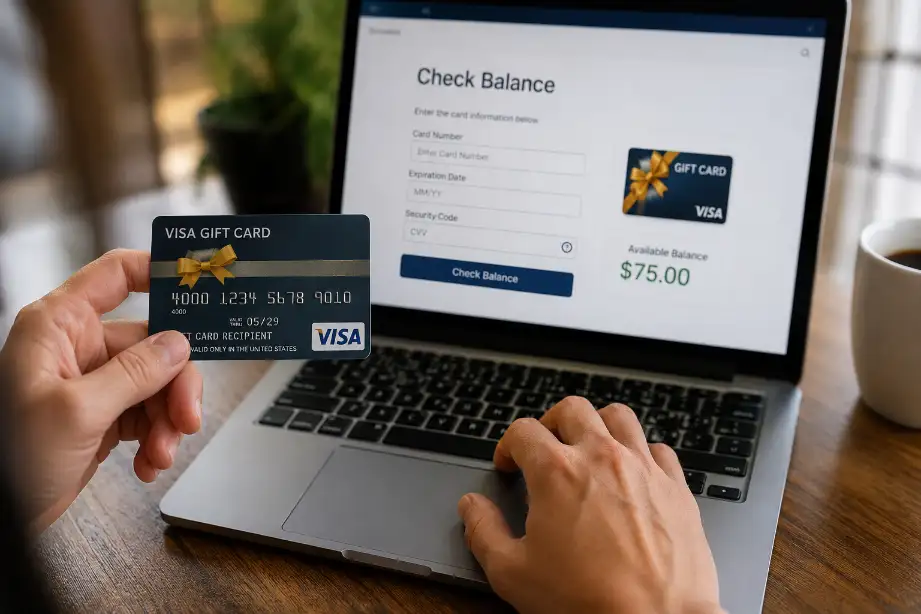
Check the Balance Online
The easiest method involves using the card issuer’s website.
Follow these steps:
- Locate the website printed on the back of your Visa gift card.
- Open the website in your browser.
- Select the balance inquiry option.
- Enter the card number.
- Provide the expiration date and security code if required.
- Submit the information.
- View your current balance and recent transaction history.
Most card issuers update balances instantly after purchases.
Call the Customer Service Number
Every Visa gift card includes a customer service number on the back.
To check your balance by phone:
- Dial the toll-free number.
- Follow the automated prompts.
- Enter your card details when requested.
- Listen to the balance information.
This method works well if you do not have internet access.
Use the Mobile App
Some Visa gift card providers offer mobile applications.
Benefits of using an app include:
- Quick balance checks
- Transaction history access
- Spending alerts
- Easy card management
Download the official app associated with your gift card provider and register your card to access these features.
Check Your Purchase Receipts
Some stores print the remaining balance on your receipt after a transaction.
Before discarding receipts, review them for:
- Remaining card balance
- Transaction amount
- Purchase date
This method provides a convenient balance estimate between official checks.
Visit a Participating Retail Store
Certain retailers can check your gift card balance at the checkout counter.
You can:
- Ask a cashier for assistance.
- Present the Visa gift card.
- Request a balance inquiry.
Store policies vary, so availability depends on the retailer.
Why You Should Regularly Check Your Visa Gift Card Balance
Many people only check their balance when a payment fails. Regular monitoring helps avoid unexpected issues.
Advantages include:
- Preventing declined transactions
- Tracking spending habits
- Detecting unauthorized purchases
- Planning future purchases
- Using the entire card balance before expiration
Frequent balance checks also help you identify errors quickly.
Common Reasons for Incorrect Balance Information
Sometimes cardholders notice differences between expected and actual balances.
Several factors can cause this issue.
Pending Transactions
Hotels, restaurants, and gas stations often place temporary holds on funds.
These holds can:
- Reduce the available balance temporarily
- Remain active for several days
- Disappear after final payment processing
Delayed Transaction Updates
Some merchants take time to process payments.
As a result:
- Recent purchases may not appear immediately.
- Available balances may look higher than expected.
- Updates may take several business days.
Authorization Holds
Certain businesses authorize an estimated amount before completing a purchase.
Examples include:
- Car rental companies
- Hotels
- Fuel stations
These temporary holds affect your available balance until final settlement.
Card Information Errors
Entering incorrect card details may prevent balance access.
Double-check:
- Card number
- Expiration date
- Security code
Accurate information helps you access the correct balance quickly.
Tips for Managing Your Visa Gift Card Balance
Good balance management helps you get the most value from your gift card.
Keep a Spending Record
Maintain a simple list of purchases.
Record:
- Purchase dates
- Store names
- Transaction amounts
This habit helps you compare your records with official balance information.
Use Small Remaining Balances
Many gift cards end up with small unused amounts.
You can use these balances for:
- Partial payments
- Online purchases
- Digital subscriptions
- Small retail items
Combining the remaining amount with another payment method often works well.
Register Your Card
Many providers allow card registration.
Registration can help with:
- Online shopping
- Account management
- Balance tracking
- Replacement requests in some cases
Monitor Transactions Frequently
Checking transaction history regularly helps identify unusual activity.
Watch for:
- Unknown purchases
- Duplicate charges
- Incorrect transaction amounts
Quick action reduces the risk of losing funds.
Can You Check a Visa Gift Card Balance Without the Card?
In most cases, you need the physical card to access balance information.
Card issuers usually require:
- Card number
- Expiration date
- Security code
Without these details, balance inquiries become difficult. If you lose the card, contact customer support immediately to discuss available options.
What to Do If Your Visa Gift Card Balance Is Not Updating
A delayed balance update can cause confusion.
Try these steps:
- Wait 24 to 72 hours after the purchase.
- Review recent transactions.
- Check for pending authorizations.
- Contact customer service.
- Verify merchant processing times.
Most balance discrepancies resolve once transactions finish processing.
Security Tips for Visa Gift Card Users
Protecting your card helps safeguard the remaining funds.
Follow these safety practices:
- Keep the card in a secure place.
- Avoid sharing card details.
- Check transaction history regularly.
- Use trusted websites for online purchases.
- Report suspicious activity immediately.
Good security habits reduce the risk of unauthorized spending.
Conclusion
Knowing how to check the remaining balance on a Visa gift card helps you avoid payment issues and manage your spending with confidence. Several methods make the process simple, including online balance inquiries, customer service phone lines, mobile apps, retail assistance, and purchase receipts.
Regular balance checks help you track expenses, spot unauthorized transactions, and use every dollar available on the card. By keeping spending records, monitoring transactions, and following basic security practices, you can enjoy a smoother experience with your Visa gift card and make the most of its value.
F.A.Q
How can I check my Visa gift card balance online?
Visit the website listed on the back of the card and enter the required card details.
Can I check my Visa gift card balance by phone?
Yes, call the customer service number printed on the back of the card.
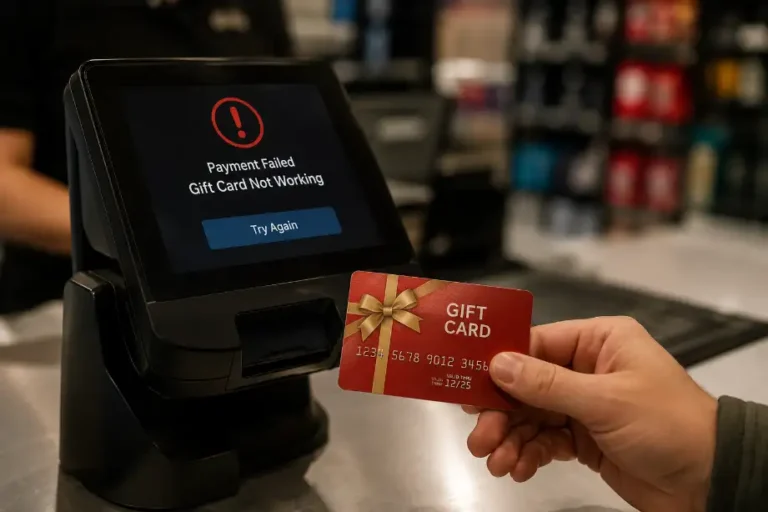
Why was my Visa gift card declined even though money remains on it?
A pending transaction or authorization hold may have reduced the available balance.
Do Visa gift cards expire?
Many cards have expiration dates, but regulations may protect the remaining funds.
Can I use a Visa gift card for online purchases?
Yes, most Visa gift cards support online transactions after proper registration when required.
What should I do if I lose my Visa gift card?
Contact the card issuer immediately and ask about available recovery options.
How often should I check my Visa gift card balance?
Check it regularly, especially before making purchases or after major transactions.