How to Use Multiple Gift Cards for a Single Online Purchase
Online shopping has made buying products easier than ever, and gift cards remain one of the most popular payment methods. Many people receive gift cards from friends, family members, employers, or promotional campaigns throughout the year. A common challenge appears when you have several gift cards with small balances and want to use them for one purchase. Many shoppers wonder whether they can combine multiple gift cards during checkout and avoid leaving unused money behind.
The good news is that many retailers allow customers to use more than one gift card for a single transaction. The exact process depends on the store, the type of gift card, and the payment options available on the website. Understanding the right steps can help you complete your purchase smoothly and make full use of every gift card balance. This guide explains how to use multiple gift cards for a single online purchase and avoid common issues during checkout.
How to Use Multiple Gift Cards for a Single Online Purchase
Using multiple gift cards for one online order usually requires a few simple steps. Each retailer follows its own checkout process, so checking the store’s payment policies before placing an order can save time.
Check the Store’s Gift Card Policy
Before adding items to your cart, visit the retailer’s help center or payment information page. Some stores allow customers to enter several gift card numbers during checkout, while others limit the number of gift cards per transaction.
Look for information such as:
- Maximum number of gift cards accepted
- Whether gift cards can cover partial payments
- Rules for combining gift card balances
- Alternative payment methods for remaining balances
Knowing these details helps you prepare before reaching the payment page.
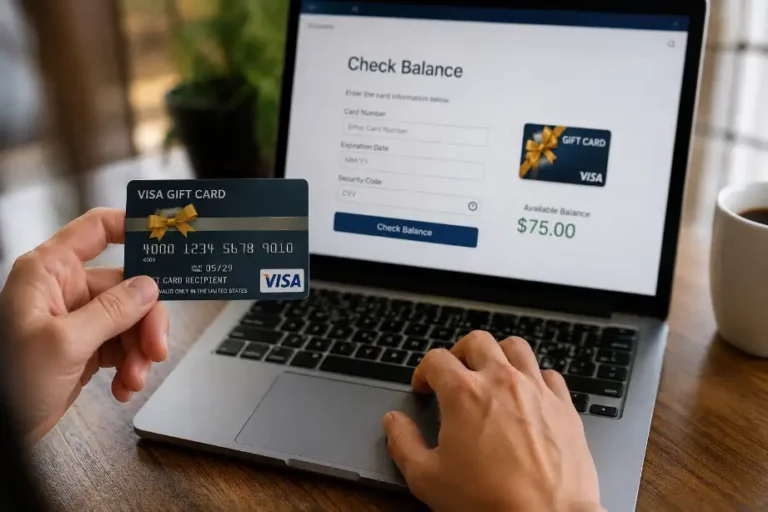
Verify the Balance on Each Gift Card
Always check the available balance on every gift card before making a purchase. Many people assume they know the balance and later discover that a card contains less money than expected.
You can usually verify balances through:
- The retailer’s website
- Customer service phone lines
- Mobile applications
- In-store customer service desks
Write down the balance of each card to avoid confusion during checkout.
Add Products to Your Shopping Cart
Select the products you want and proceed to checkout as usual. Make sure the total order amount matches or exceeds the combined value of your gift cards if you plan to use all available balances.
Review your cart carefully before moving to payment. Changes made after applying gift cards may affect the transaction.
Apply the First Gift Card
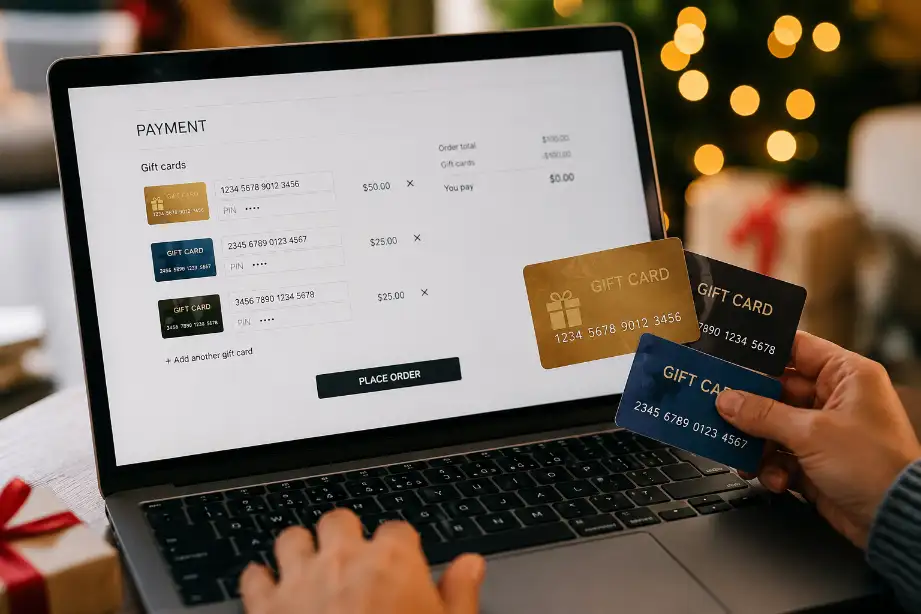
During checkout, locate the gift card payment section. Enter the card number and PIN if required. The system will deduct the available amount from your total order value.
After applying the first card, the website usually displays the remaining balance that still requires payment.
Add Additional Gift Cards
Many online stores provide an option to add another gift card after the first one has been applied. Repeat the process until you use all desired gift cards.
Follow these steps:
- Enter the second gift card number.
- Add the security PIN if required.
- Apply the card balance.
- Repeat for remaining cards.
The system will continue reducing the outstanding amount until the purchase reaches full payment.
Pay Any Remaining Balance
If your gift cards do not fully cover the order total, pay the remaining amount using another accepted payment method.
Common options include:
- Credit cards
- Debit cards
- Digital wallets
- Store payment accounts
Many retailers support split payments between gift cards and traditional payment methods.
Confirm the Transaction
Review all payment details before submitting your order. Verify that each gift card balance has been applied correctly and that the final amount matches your expectations.
Once everything looks correct, complete the purchase and save the confirmation email for future reference.
Common Ways Retailers Handle Multiple Gift Cards
Retailers use different systems for gift card payments. Understanding these methods can help you avoid surprises.
Direct Multi-Card Support
Some stores allow customers to enter multiple gift cards directly during checkout. This option offers the easiest experience because the system automatically deducts balances from each card.
Gift Card Balance Transfer
A few retailers allow users to transfer several gift card balances into a single card or account balance. This method simplifies future purchases and reduces the need to manage several cards.
Split Payment Options
Some online stores accept one gift card and one secondary payment method. In these cases, you may need to use the largest gift card first and pay the rest with a debit or credit card.
Customer Service Assistance
Certain retailers restrict multi-card usage online but allow customer service representatives to process transactions manually. Contact support if the website does not provide a clear solution.
Tips for Using Multiple Gift Cards Successfully
A little preparation can make the checkout process much easier.
Keep Track of Gift Card Information
Create a simple list that includes:
- Gift card numbers
- Available balances
- Expiration dates
- PIN codes
Having everything ready reduces delays during payment.
Use Small Balances First
Gift cards with low balances often get forgotten. Applying these cards first helps clear unused funds and keeps your payment methods organized.
Check for Expiration Dates
Some gift cards expire after a specific period. Review expiration dates regularly and use older cards before newer ones.
Save Remaining Balances
If a card still contains funds after your purchase, keep the card until the balance reaches zero. Many shoppers accidentally discard cards that still contain usable money.
Contact Customer Support When Needed
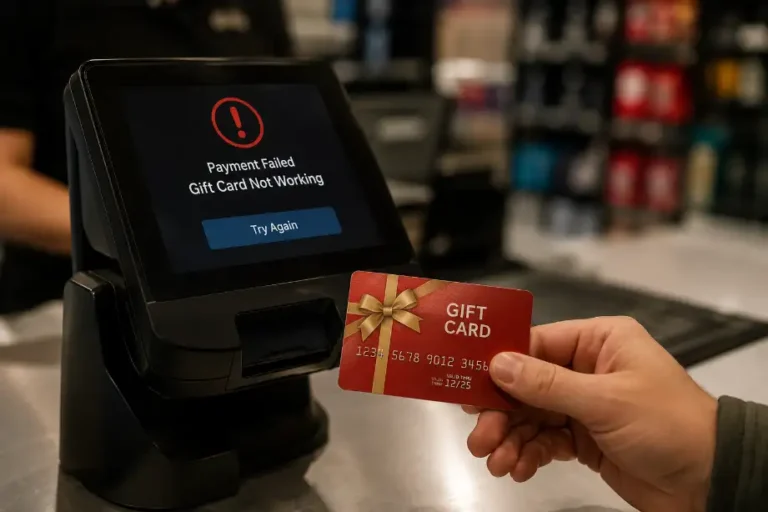
If a gift card fails during checkout, customer service can often identify the issue. A simple verification step may solve the problem quickly.
Common Problems and How to Fix Them
Even when you follow the correct steps, issues can appear during checkout.
The Website Limits Gift Card Entries
Some stores only allow a certain number of gift cards per order. If you exceed the limit, consider:
- Splitting the purchase into separate orders
- Combining balances if the retailer allows it
- Contacting customer support for assistance
Incorrect Gift Card Information
Typing errors often cause payment failures. Double-check:
- Card numbers
- PIN codes
- Balance information
Entering accurate details usually resolves the issue.
Insufficient Funds
A gift card with a lower balance than expected may leave part of the order unpaid. Verify balances before checkout and prepare a backup payment method.
Technical Checkout Errors
Website glitches occasionally interrupt transactions. Refresh the page, clear your browser cache, or try a different device if the problem continues.
Benefits of Using Multiple Gift Cards
Using several gift cards for one purchase offers several advantages.
Reduces Unused Balances
Many people leave small amounts on gift cards for years. Combining balances helps you use every available dollar.
Simplifies Gift Card Management
Fewer active gift cards make future shopping easier and reduce the chance of losing funds.
Supports Larger Purchases
Several small gift card balances can contribute toward one larger order, allowing you to buy products that a single card could not cover.
Maximizes Gift Card Value
Using every available balance helps you receive the full benefit of your gift cards without waste.
Conclusion
Using multiple gift cards for a single online purchase can help you make full use of available balances and reduce leftover funds. The process usually involves checking each card balance, reviewing the retailer’s payment rules, applying gift cards one at a time, and covering any remaining amount with another payment method if needed.
Different retailers follow different policies, so reviewing their gift card guidelines before checkout can prevent delays. Keeping track of balances, expiration dates, and card details also makes the process easier. With the right preparation, you can combine several gift cards efficiently and complete your online purchase without unnecessary complications.
F.A.Q
Can I use more than one gift card on an online order?
Many retailers allow multiple gift cards, though policies vary by store.
What happens if my gift cards do not cover the full purchase amount?
You can usually pay the remaining balance with another accepted payment method.
How do I check my gift card balance?
You can check it through the retailer’s website, app, phone support, or store location.
Can I combine gift card balances into one card?
Some retailers offer balance transfer options, while others do not.
Why did my gift card fail during checkout?
Incorrect card details, insufficient funds, or store restrictions often cause failures.
Do gift cards expire?
Some gift cards expire, while others remain valid indefinitely depending on local laws and retailer policies.
Can customer support help with multiple gift card payments?
Yes, customer service can often assist when online checkout options are limited.