How to Set Up Purchase Alerts on American Express for Better Spending Tracking
Managing money becomes much easier when you know exactly where your dollars go. Many people check their account balances only after making several purchases, which can lead to missed transactions, budgeting problems, or even fraud going unnoticed. American Express offers purchase alerts that help cardholders stay informed every time they use their card. These alerts arrive through email, text messages, or mobile notifications, giving you instant updates about your spending activity.
Purchase alerts work as a simple spending-tracking tool that keeps you connected to your account throughout the day. Whether you want to monitor daily expenses, detect unauthorized transactions, or maintain a monthly budget, setting up alerts can make a big difference. This guide explains how to set up purchase alerts on American Express for better spending tracking and how to use them effectively to manage your finances.
How to Set Up Purchase Alerts on American Express for Better Spending Tracking
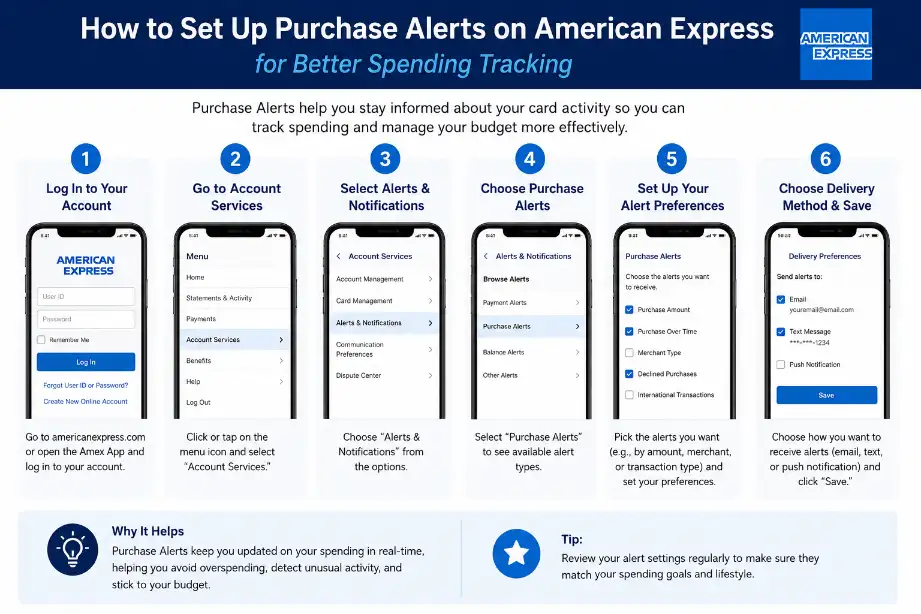
Setting up purchase alerts on American Express takes only a few minutes. You can use either the American Express website or the mobile app.
Set Up Purchase Alerts Through the American Express Website
Follow these steps:
- Visit the American Express website.
- Sign in to your account.
- Select the card you want to manage.
- Open the Account Services section.
- Click on Alerts and Notifications.
- Choose Purchase Alerts or Spending Alerts.
- Select your preferred notification method:
- Email alerts
- Text message alerts
- Push notifications
- Save your settings.
Once activated, American Express will send notifications whenever qualifying purchases occur on your card.
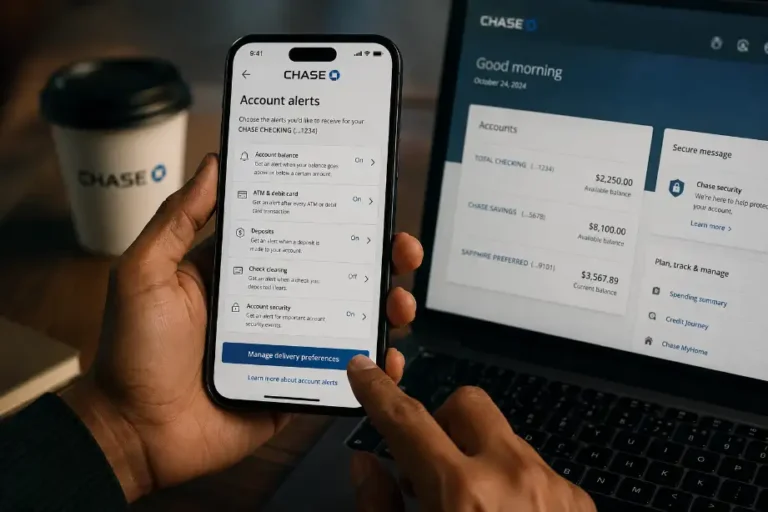
Set Up Purchase Alerts Through the Mobile App
Many cardholders prefer using the mobile app because it offers quick access to account settings.
Steps include:
- Open the American Express mobile app.
- Sign in to your account.
- Tap the Account tab.
- Navigate to Notifications or Alerts.
- Select Purchase Alerts.
- Turn on your desired notification options.
- Confirm and save your preferences.
The app can send alerts instantly after transactions appear in the system.
Choose Alert Thresholds
American Express may allow you to customize alert amounts depending on your account type.
Examples include:
- Purchases above $10
- Purchases above $50
- Purchases above $100
- All purchases regardless of amount
Selecting a lower threshold gives you a complete view of your spending habits.
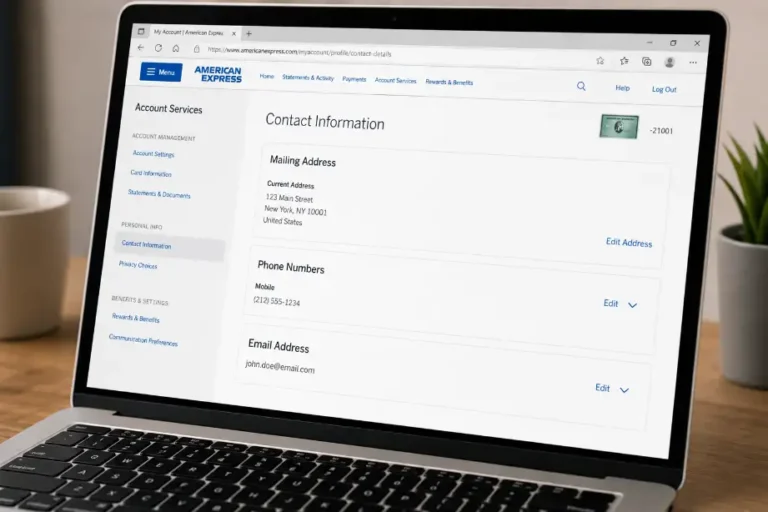
Verify Your Contact Information
Before enabling alerts, check your:
- Email address
- Mobile phone number
- Notification permissions
Accurate contact details ensure you receive alerts without delays.
Benefits of Using American Express Purchase Alerts
Purchase alerts offer several advantages beyond simple spending notifications.
Better Budget Awareness
Every alert reminds you of recent spending activity. You stay aware of daily purchases and avoid surprises when your statement arrives.
Faster Fraud Detection
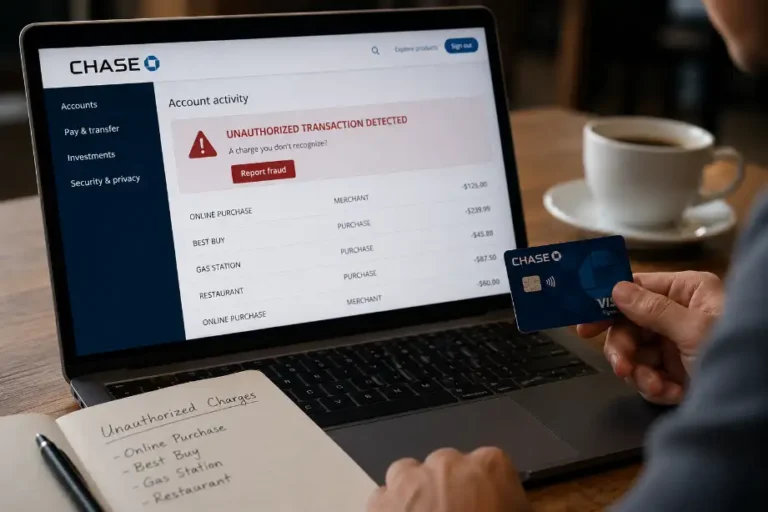
Fraudulent charges often start with small transactions. Instant alerts help you identify suspicious activity quickly and contact American Express before larger issues develop.
Improved Spending Habits
People often spend more than expected because they lose track of small purchases. Alerts create awareness and encourage smarter financial decisions.
Easier Expense Tracking
Purchase notifications create a digital record of spending activity. You can compare alerts with receipts and monthly statements.
More Financial Control
Real-time transaction updates help you stay connected to your finances throughout the month rather than waiting for billing statements.
Types of Alerts Available on American Express
American Express provides several alert options that support account management.
Purchase Alerts
These notifications inform you whenever a purchase occurs using your card.
Payment Due Alerts
Payment reminders help you avoid missed due dates and late fees.
Large Purchase Alerts
These alerts notify you when spending exceeds a chosen amount.
Account Balance Alerts
Balance notifications help you monitor your credit usage.
Payment Confirmation Alerts
You receive confirmation when American Express processes a payment.
Suspicious Activity Alerts
These alerts notify you about unusual account activity that may require attention.
Using multiple alert types creates a stronger spending-monitoring system.
Best Practices for Better Spending Tracking
Purchase alerts work best when paired with good financial habits.
Review Notifications Daily
Spend a few moments each day reviewing alerts. Regular monitoring helps you recognize spending patterns and spot unusual transactions.
Compare Alerts With Receipts
Match notifications with your receipts to confirm transaction accuracy.
Organize Spending Categories
Create categories such as:
- Groceries
- Dining
- Transportation
- Entertainment
- Utilities
- Shopping
Categorizing expenses makes budgeting easier.
Check Monthly Statements
Alerts provide real-time information, but monthly statements offer a complete overview of spending activity.
Use a Budget Alongside Alerts
Set spending limits for different categories. Alerts help you stay within those limits throughout the month.
Common Reasons to Enable Purchase Alerts
Many cardholders activate alerts for different financial goals.
Monitoring Family Spending
Authorized users can generate purchases on your account. Alerts help you track spending across all users.
Managing Business Expenses
Business owners often use alerts to monitor employee purchases and company expenses.
Protecting Against Card Theft
If someone gains access to your card information, alerts can reveal unauthorized purchases quickly.
Tracking Travel Expenses
Travel spending can add up fast. Purchase notifications help travelers monitor expenses while away from home.
Maintaining Credit Health
Keeping an eye on spending helps prevent excessive credit utilization and supports responsible card management.
Troubleshooting Purchase Alert Issues
Sometimes users experience problems receiving notifications.
Alerts Are Not Arriving
Check:
- Email spam folders
- Mobile notification settings
- Phone number accuracy
- Alert preferences within your account
Delayed Notifications
Some transactions take time to process through merchants. Delays often occur because of merchant processing schedules.
Incorrect Contact Information
Update your contact details immediately if you change your email address or phone number.
App Notifications Disabled
Many smartphones block notifications automatically. Review your device settings and allow notifications for the American Express app.
Additional Tools That Work Well With Purchase Alerts
Purchase alerts become more effective when combined with other financial tools.
Mobile Banking Apps
Banking apps allow you to compare card spending with account balances.
Budgeting Software
Budgeting platforms can help organize spending data and track financial goals.
Expense Tracking Spreadsheets
Simple spreadsheets provide a clear picture of monthly expenses and spending trends.
Digital Wallet Records
Many digital wallets maintain transaction histories that support spending reviews.
Combining these tools with alerts creates a stronger personal finance system.
How Purchase Alerts Help Build Better Financial Habits
Financial success often starts with awareness. Purchase alerts encourage people to pay attention to every transaction. When you receive immediate notifications, spending becomes more visible and easier to control.
Over time, these alerts can help you:
- Reduce unnecessary purchases
- Stay within monthly budgets
- Detect fraud quickly
- Improve saving habits
- Build stronger financial discipline
Small actions repeated consistently often lead to significant financial improvements. Purchase alerts serve as daily reminders that keep your financial goals in focus.
Conclusion
Purchase alerts provide a simple and effective way to monitor spending activity on your American Express card. Real-time notifications help you stay informed about every transaction, making it easier to manage budgets, identify unauthorized charges, and maintain better financial control. Setting up alerts takes only a few minutes through the American Express website or mobile app.
Frequently Asked Questions
How do I turn on purchase alerts for my American Express card?
Sign in to your account, open Alerts and Notifications, and enable Purchase Alerts.
Are American Express purchase alerts free?
Yes, American Express generally provides purchase alerts at no extra cost.
Can I receive purchase alerts by text message?
Yes, you can choose text message notifications if available for your account.
Do purchase alerts help detect fraud?
Yes, they notify you quickly when unexpected transactions occur.
Can I receive alerts for every purchase?
Yes, many accounts allow notifications for all qualifying purchases.
Why am I not receiving my purchase alerts?
Check your notification settings, contact information, and spam folders.
Can I manage alerts through the American Express mobile app?
Yes, the mobile app allows you to enable, disable, and customize alert preferences.