How to Download Monthly Statements From American Express
Managing your finances becomes much easier when you keep track of your monthly credit card statements. American Express provides a simple way for cardholders to access, download, and save their statements whenever they need them. Whether you want to review your spending, prepare tax documents, monitor transactions, or maintain personal financial records, downloading your monthly statements can save time and keep everything organized.
Many people need statements for loan applications, expense reports, budgeting, or business accounting. Instead of waiting for paper copies, American Express allows customers to access statements online within minutes. Once you know where to find them, the process becomes quick and convenient.
This guide explains how to download monthly statements from American Express, how to access older records, common issues you may face, and tips for managing your financial documents securely.
How to Download Monthly Statements From American Express
Downloading monthly statements from American Express takes only a few minutes. You can use either a desktop computer or the mobile app.
Download Statements Through the American Express Website
Follow these steps to access your monthly statements online:
- Visit the American Express website.
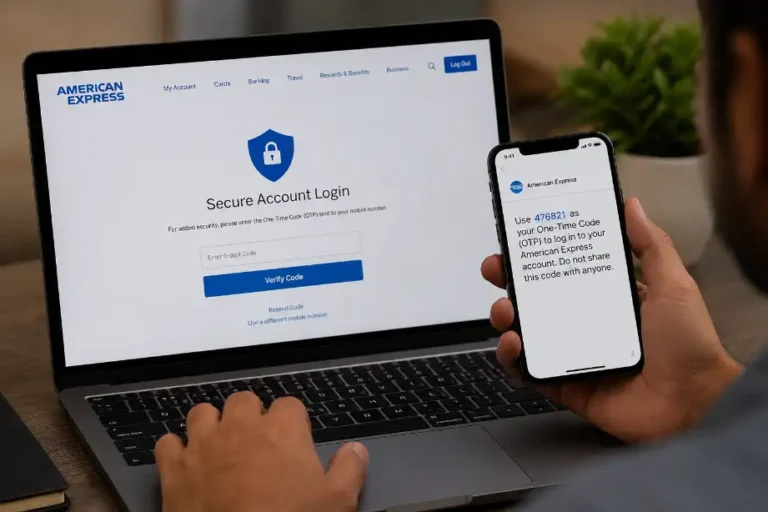
- Sign in to your account using your username and password.
- Select the credit card account you want to review.
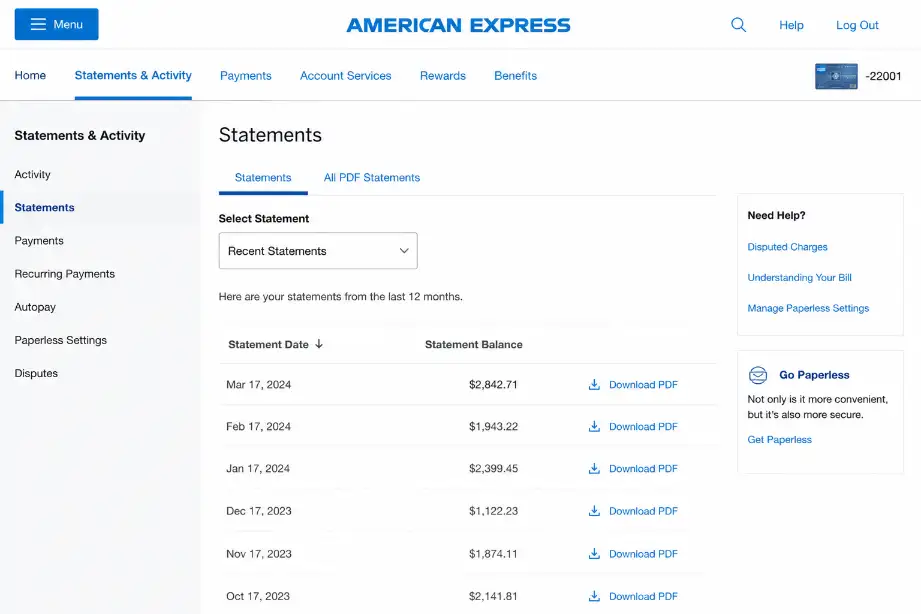
- Navigate to the Statements & Activity section.
- Click on Statements.
- Locate the month you want to download.
- Select the PDF icon or download option.
- Save the statement to your device.
The statement downloads as a PDF file, making it easy to view, print, or store for future reference.
Download Statements Through the American Express Mobile App
If you prefer using your smartphone, you can download statements through the app.
Steps for Mobile Users
- Open the American Express app.
- Log in to your account.
- Tap your card account.
- Select Statements.
- Choose the desired statement period.
- Download or view the PDF statement.
- Save the file to your phone or cloud storage.
The mobile app provides quick access when you need statements while traveling or away from your computer.
How to Save Statements for Future Use
After downloading a statement, save it in a secure location.
Popular storage options include:
- Personal computer folders
- External hard drives
- USB storage devices
- Cloud storage services
- Encrypted document vaults
Create folders organized by year and month to find statements quickly later.
How to Print an American Express Statement
Many users still need printed copies for official paperwork.
To print a statement:
- Open the downloaded PDF file.
- Click the print icon.
- Select your printer.
- Adjust print settings if needed.
- Print the document.
Review the printed copy to ensure all pages appear correctly.
Accessing Older American Express Statements
American Express keeps previous statements available within your online account.
Finding Past Statements
To access older records:
- Sign in to your account.
- Open the Statements section.
- Scroll through available statement periods.
- Select the month needed.
- Download the PDF version.
Many users access older statements for:
- Tax preparation
- Expense verification
- Financial audits
- Business accounting
- Loan applications
Maintaining copies of important records helps avoid future complications.
What If a Statement Is No Longer Available?
Sometimes very old statements may not appear online.
In that situation:
- Contact American Express customer service.
- Request archived statement copies.
- Verify your identity.
- Ask about available statement history.
Customer support can explain what records remain available for your account.
Benefits of Downloading Monthly Statements
Regularly downloading statements offers several advantages.
Better Expense Tracking
Statements provide a complete record of purchases and payments.
You can:
- Monitor spending habits
- Identify unnecessary expenses
- Track subscription charges
- Review travel costs
- Manage household budgets
Easier Tax Preparation
Many taxpayers use statements to verify deductible expenses.
Statements help organize:
- Business purchases
- Travel expenses
- Charitable donations
- Professional fees
- Work-related spending
Keeping monthly records reduces stress during tax season.
Faster Fraud Detection
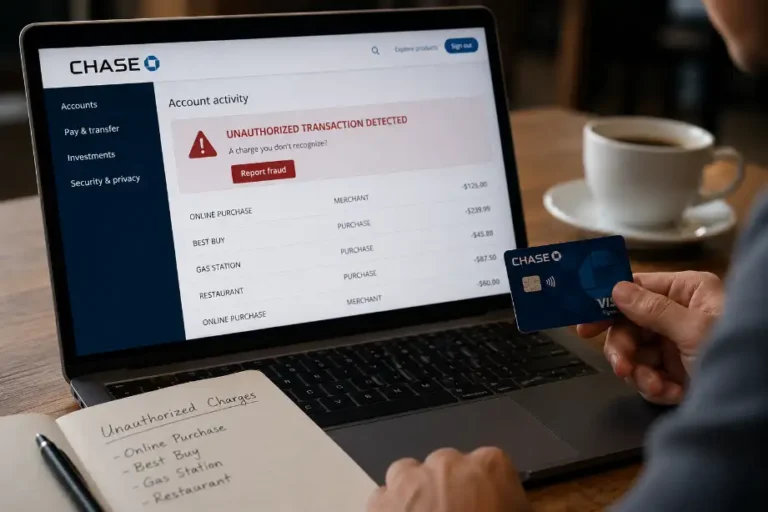
Reviewing statements every month helps identify suspicious activity.
Watch for:
- Unknown purchases
- Duplicate charges
- Unauthorized transactions
- Incorrect merchant amounts
Early detection allows faster resolution of account issues.
Improved Financial Organization
Financial documents often become difficult to locate when stored randomly.
Monthly statement downloads help create:
- Organized records
- Reliable financial history
- Easy document access
- Better budgeting systems
Good organization saves time whenever you need financial information.
Common Problems When Downloading Statements
Most users complete the process without issues. Sometimes problems occur due to technical reasons.
Login Problems
You may struggle to access your account if:
- You forgot your password.
- Your account becomes locked.
- Two-factor authentication fails.
Use the password recovery tools provided by American Express to regain access.
PDF File Will Not Open
A downloaded statement may fail to open because:
- The file downloaded incorrectly.
- Your PDF software needs updating.
- The file became corrupted.
Try downloading the statement again and ensure your PDF reader remains current.
Missing Statements
If a statement does not appear:
- Confirm the account selection.
- Check the statement date range.
- Refresh the page.
- Contact customer support.
Support representatives can help locate missing records.
Mobile App Issues
App-related problems may include:
- Slow loading times
- Login failures
- Download interruptions
- Outdated software versions
Updating the app often resolves these issues quickly.
Security Tips for Managing Statement Downloads
Monthly statements contain sensitive financial information. Protect them carefully.
Use Strong Passwords
Secure your American Express account with:
- Long passwords
- Unique combinations
- Multi-factor authentication
Avoid using the same password across multiple accounts.
Store Files Securely
Keep downloaded statements in protected locations.
Good security practices include:
- Encrypted storage
- Password-protected folders
- Secure cloud backups
- Limited file sharing
Avoid Public Wi-Fi
Public networks increase the risk of unauthorized access.
When downloading statements:
- Use trusted internet connections.
- Avoid unsecured public hotspots.
- Enable device security features.
Review Statements Regularly
Monthly reviews help detect unusual activity before it becomes a larger problem.
Schedule a regular financial review every month.
Understanding Information Included in Your Statement
American Express statements contain valuable account details.
Typical sections include:
Account Summary
This section displays:
- Current balance
- Previous balance
- Payment due date
- Minimum payment amount
Transaction History
You can review:
- Purchases
- Credits
- Refunds
- Fees
- Interest charges
Rewards Information
Many American Express cards include rewards programs.
Statements often display:
- Reward points earned
- Available points balance
- Redemption activity
Payment Details
This section shows:
- Payments received
- Payment dates
- Remaining balance
Reviewing these details helps maintain accurate financial records.
Tips for Keeping Financial Records Organized
Strong organization habits make statement management much easier.
Consider these practices:
- Download statements every month.
- Create folders by year.
- Name files consistently.
- Back up important documents.
- Delete duplicate files.
- Review records regularly.
- Keep both digital and printed copies when needed.
Small organizational habits can prevent future headaches when searching for important documents.
Conclusion
Downloading monthly statements from American Express gives you quick access to important financial records whenever you need them. The process works smoothly through both the website and mobile app, allowing you to save, print, and organize statements in just a few steps. Regular statement downloads help with budgeting, tax preparation, expense tracking, and fraud monitoring.
Frequently Asked Questions
How do I download a statement from American Express?
Log in to your account, open Statements, choose a month, and download the PDF.
Can I access old American Express statements?
Yes, American Express allows access to previous statements through your online account.
Are downloaded statements available in PDF format?
Yes, statements download as PDF files.
Can I print my American Express statement?
Yes, open the PDF and use the print option.
Why can’t I see a specific statement online?
The statement may be archived, unavailable, or linked to another account period.
Is the American Express mobile app able to download statements?
Yes, the app allows users to view and download statements.
How often should I review my statements?
Review your statement every month to monitor spending and identify unusual activity.