How to Update Your Mailing Address on American Express Without Calling Customer Support
Moving to a new home often brings a long list of tasks, and updating your financial accounts sits near the top of that list. If you use an American Express card, keeping your mailing address current helps you receive important documents, replacement cards, account notifications, and billing information without delays. Many cardholders assume they need to call customer support to make address changes. Fortunately, American Express offers several self-service options that let you update your mailing address in just a few minutes.
Whether you recently moved, changed apartments, or want to use a different mailing location, you can handle the process online through your account settings. The process saves time and gives you immediate control over your account information. This guide explains how to update your mailing address on American Express without calling customer support and shares helpful tips to avoid common mistakes.
How to Update Your Mailing Address on American Express Without Calling Customer Support
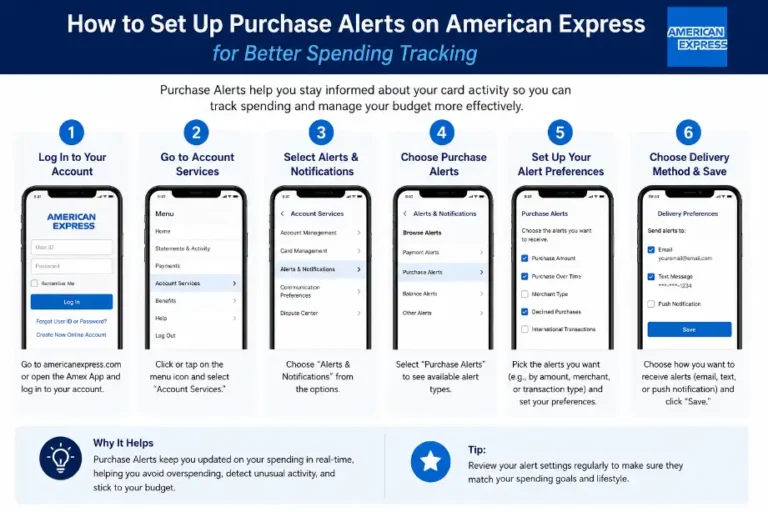
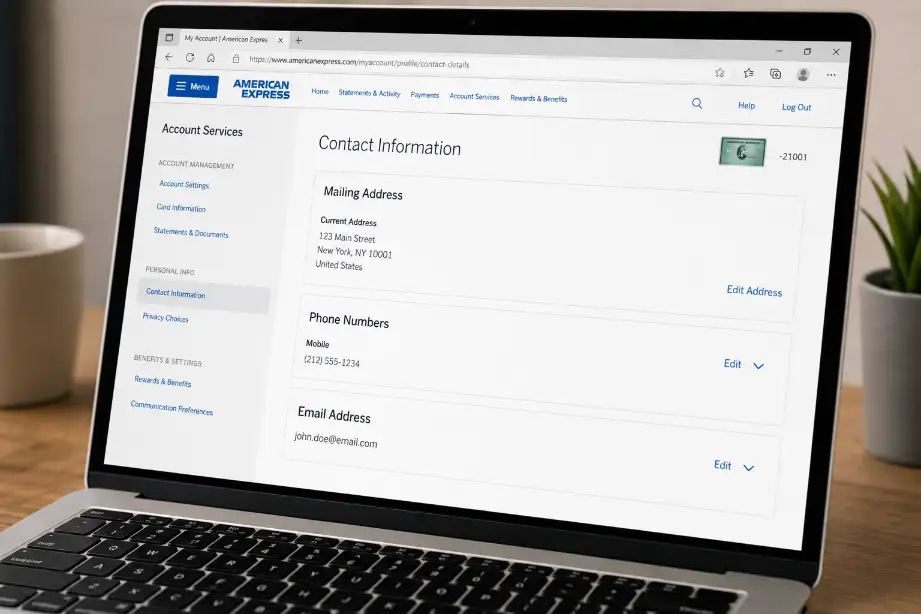
American Express allows cardholders to change their mailing address through online account management tools. You can use either the website or mobile app to complete the update.
Update Your Address Through the American Express Website
The online account portal offers the fastest way to change your mailing address.
Follow these steps:
- Visit the American Express website.
- Sign in to your account using your username and password.
- Select Account Services or Profile Settings.
- Find the Personal Information section.
- Click on Address Information.
- Enter your new mailing address.
- Review the details carefully.
- Save the changes.
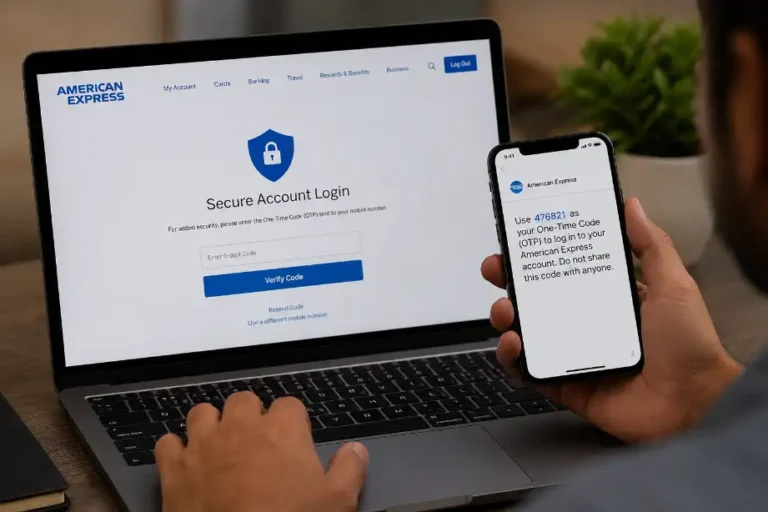
After submission, American Express may ask you to verify your identity for security purposes.
Update Your Address Using the American Express Mobile App
Many cardholders prefer managing their accounts through the mobile app.
To update your mailing address:
- Open the American Express app.
- Log in securely.
- Tap the account menu.
- Go to Profile or Account Settings.
- Select Personal Information.
- Choose Mailing Address.
- Enter the updated information.
- Confirm and save your changes.
The app usually updates account information immediately after approval.
Use Online Chat Support
If you experience issues while updating your address online, the American Express chat feature can help.
Benefits of chat support include:
- Quick responses
- No phone call required
- Real-time assistance
- Secure communication
A chat representative can guide you through the process and help resolve account verification issues.
Verify the Address Update
After making changes, verify that the new address appears correctly in your profile.
Check:
- Street number
- Apartment or unit number
- City
- State or province
- Postal code
Even a small mistake can cause mail delivery problems.
Why Keeping Your Mailing Address Updated Matters
Many cardholders underestimate the importance of accurate account information. An outdated mailing address can create several issues.
Prevent Missing Important Documents
American Express may send:
- New credit cards
- Replacement cards
- Tax documents
- Account notices
- Security alerts
A wrong address increases the chance of missing these important items.
Protect Account Security
When mail reaches an old address, unauthorized individuals may gain access to sensitive information.
Updating your address helps protect:
- Personal details
- Financial information
- Account statements
- Card replacement shipments
Avoid Billing Problems
Although many people use electronic statements, some account-related documents still arrive by mail.
Accurate information helps you receive:
- Billing notices
- Verification letters
- Promotional offers
- Account updates
Support Identity Verification
American Express often uses address information as part of security verification procedures.
Keeping your address current helps you:
- Verify account ownership
- Complete security checks
- Access account services faster
Common Issues When Updating Your Mailing Address
Most address updates go smoothly, but some users encounter minor problems.
Identity Verification Requests
American Express may request additional verification if:
- You recently changed personal information.
- You sign in from a new device.
- The new address differs significantly from the previous one.
Keep your account information readily available during the process.
Address Format Errors
Many users enter addresses incorrectly.
Common mistakes include:
- Missing apartment numbers
- Incorrect ZIP codes
- Misspelled street names
- Wrong city information
Double-check every field before saving.
Delayed Processing
Some updates take longer if American Express requires manual review.
Factors that may cause delays include:
- Security checks
- Account restrictions
- Recently reported fraud concerns
Most updates still process within a short period.
Tips for a Smooth Address Change Process
A few simple steps can make the update process easier.
Gather Information Before You Start
Prepare:
- New mailing address
- ZIP or postal code
- Account login credentials
- Mobile device for verification codes
Having everything ready saves time.
Update All Financial Accounts
Many people update one account and forget others.
Create a checklist that includes:
- Credit cards
- Bank accounts
- Loan providers
- Insurance companies
- Investment accounts
Consistent information across accounts reduces confusion.
Enable Account Alerts
Account alerts help you monitor important changes.
Useful alerts include:
- Profile changes
- Address updates
- Login activity
- Transaction notifications
These alerts provide additional security.
Review Account Information Regularly
Schedule periodic account reviews.
Check:
- Mailing address
- Email address
- Phone number
- Authorized users
Regular reviews help maintain accurate records.
Alternative Ways to Receive Account Information
Updating your mailing address remains important, but digital options provide extra convenience.
Enroll in Paperless Statements
Paperless statements reduce reliance on physical mail.
Advantages include:
- Faster access
- Less clutter
- Better organization
- Secure online storage
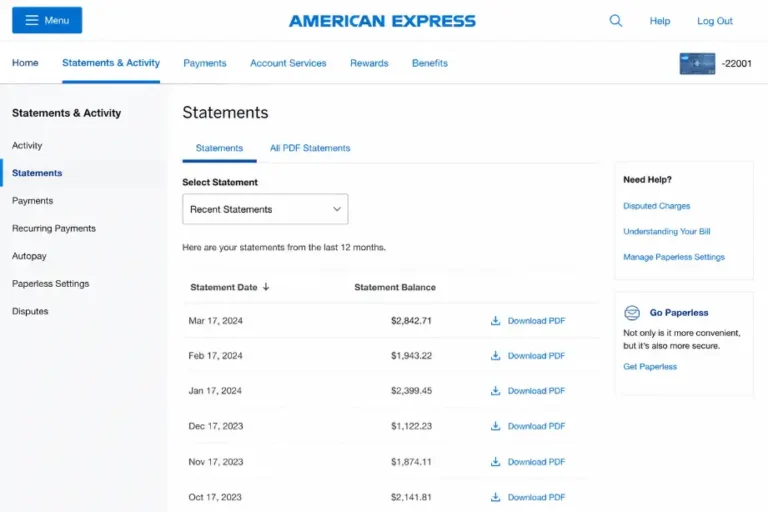
You can access statements anytime through your online account.
Use Email Notifications
Email notifications keep you informed about account activity.
You can receive updates about:
- Payments
- Statements
- Security alerts
- Account changes
These notifications help you stay informed regardless of your mailing address.
Monitor Your Account Through the Mobile App
The mobile app gives you access to important account information wherever you are.
Features often include:
- Transaction history
- Statement access
- Payment management
- Profile updates
Regular monitoring helps identify problems quickly.
Security Considerations When Changing Your Address
Address updates involve sensitive account information, so security should remain a priority.
Use Secure Internet Connections
Avoid public Wi-Fi when updating account details.
Use:
- Home internet
- Trusted mobile networks
- Secure private connections
This reduces the risk of unauthorized access.
Create Strong Login Credentials
Protect your account with:
- Strong passwords
- Unique passwords
- Two-factor authentication
Strong security habits help safeguard personal information.
Watch for Suspicious Activity
After updating your address, monitor your account for unusual actions.
Look for:
- Unknown purchases
- Unexpected profile changes
- Unauthorized login attempts
Report suspicious activity immediately.
Benefits of Managing Your American Express Account Online
Online account management offers several advantages beyond address updates.
Save Time
You can manage account settings without waiting on hold or speaking with customer support.
Access Information Anytime
Online access allows account management 24 hours a day.
Make Instant Updates
Many changes take effect quickly after submission.
Stay Organized
Digital account management keeps all important information in one place.
These benefits make online account tools useful for busy cardholders.
Conclusion
Updating your mailing address on American Express without calling customer support is simple and convenient. The online account portal and mobile app allow you to make changes in just a few minutes from virtually anywhere. Keeping your mailing address current helps protect your account, ensures timely delivery of important documents, and reduces the risk of security issues.
Before saving any changes, review every detail carefully to avoid delivery problems. Regularly checking your profile information and enabling account alerts can help keep your account accurate and secure.
F.A.Q
Can I update my American Express mailing address online?
Yes, you can update your mailing address through the website or mobile app.
How long does an address update take on American Express?
Most updates process immediately after verification.
Do I need to call customer support to change my address?
No, American Express provides online self-service options.
Can I update my address using the mobile app?
Yes, the mobile app includes address management features.
Why does American Express verify address changes?
The company uses verification steps to protect account security.
Will my replacement card go to the new address?
Yes, once the address update processes successfully.
Should I update my email and phone number too?
Yes, keeping all contact information current helps maintain account security.